Lentilles toriques et correction
Comment commander des lentilles de contact toriques pour chaque œil : une liste de contrôle
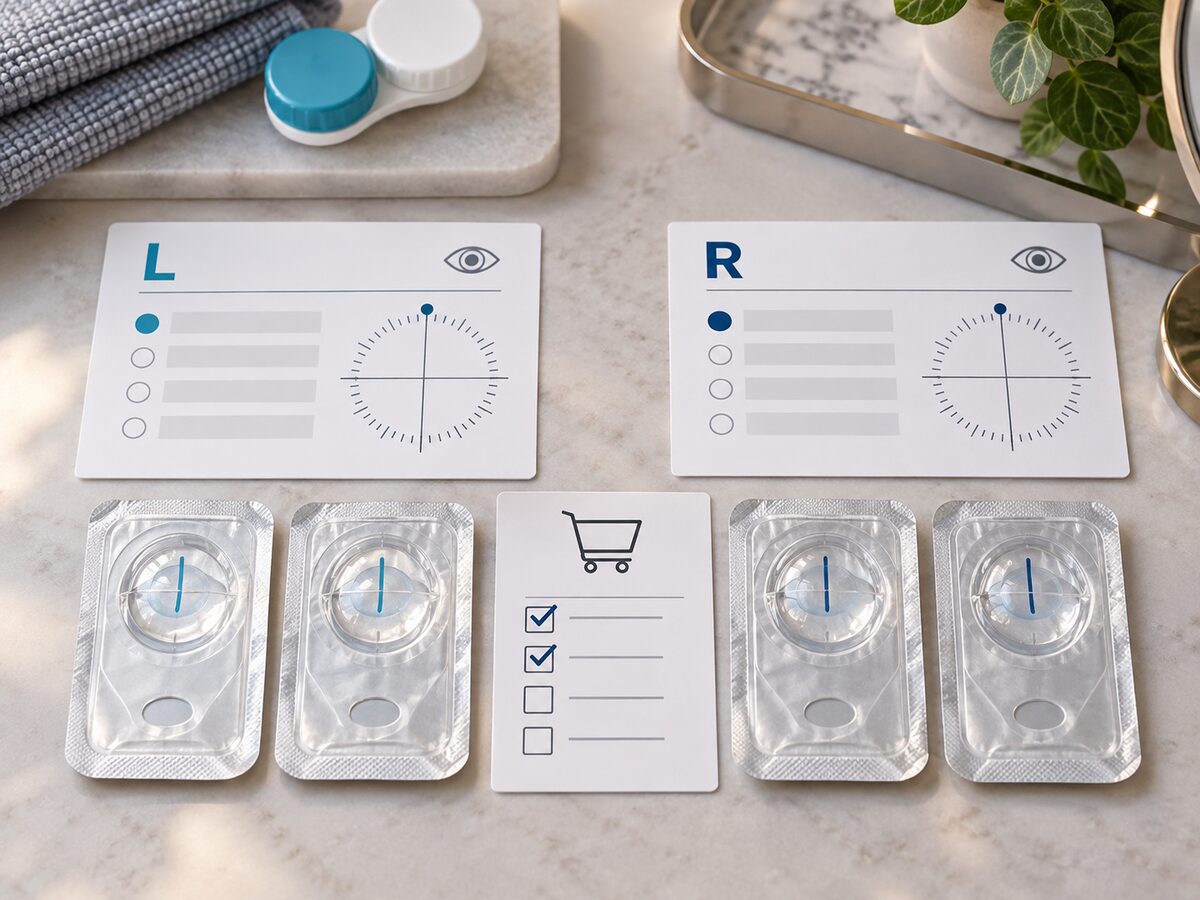
Commandez vos lentilles de contact toriques en vérifiant une ordonnance complète pour chaque œil. Confirmez la marque et le modèle exacts des lentilles, puis faites correspondre la puissance sphérique, le cylindre et l'axe indiqués sur votre ordonnance actuelle avec les options disponibles pour le produit. Vérifiez le rayon de courbure (BC), le diamètre (DIA), la quantité par boîte, ainsi que les sélections pour l'œil droit et l'œil gauche lorsqu'elles sont indiquées. Une puissance identique ne signifie pas que les deux yeux ont des paramètres toriques identiques.
Dans ce guide
Commencez avec une ordonnance torique à jour
Les lentilles toriques sont prescrites avec des paramètres traitant l'astigmatisme. Utilisez l'ordonnance écrite pour lentilles de contact et la fiche produit exacte plutôt que de copier les valeurs d'une ancienne commande, d'une autre personne ou d'une couleur similaire. Selon l'ordonnance et le produit, les champs pertinents peuvent inclure la marque ou le modèle de la lentille, la puissance sphérique, le cylindre, l'axe, le rayon de courbure (BC) et le diamètre (DIA).
Le guide de prescription de la FDA explique qu'une ordonnance de lentilles de contact identifie la lentille prescrite et ses spécifications. Si votre ordonnance est expirée, qu'un champ est manquant ou que vous n'êtes pas sûr que l'ordonnance s'applique au modèle torique coloré exact, contactez votre professionnel de la vue avant de commander.
Notez chaque œil séparément
Établissez une fiche pour l'œil droit et une pour l'œil gauche avant de choisir les quantités. Copiez chaque valeur exactement telle qu'elle est écrite, y compris le signe moins, la notation du cylindre et l'axe. Ne tentez pas d'arrondir ou de convertir un axe vous-même. Les yeux droit et gauche peuvent avoir des puissances, des cylindres, des axes ou des choix de lentilles différents.
| Vérification pour chaque œil | Œil droit (OD) | Œil gauche (OS) |
|---|---|---|
| Marque et modèle exacts | Copier depuis l'ordonnance | Copier depuis l'ordonnance |
| Puissance sphérique | Copier la valeur prescrite | Copier la valeur prescrite |
| Cylindre | Copier la valeur prescrite | Copier la valeur prescrite |
| Axe | Copier la valeur prescrite | Copier la valeur prescrite |
| BC et DIA, si spécifiés | Correspondance produit exacte | Correspondance produit exacte |
| Nombre de boîtes | Calculer pour cette puissance | Calculer pour cette puissance |
Cette fiche est une aide à la transcription, et non une ordonnance. Les options toriques disponibles peuvent varier selon la marque, le modèle, la teinte et le calendrier de remplacement. Confirmez que la page du produit vous permet de choisir la combinaison complète demandée par votre ordonnance.
Correspondance avec le modèle torique exact
Commencez avec le nom complet et la version du produit. Une lentille couleur sphérique, une lentille torique et une autre version de la même famille de produits ne sont pas automatiquement interchangeables simplement parce que leurs noms ou couleurs semblent similaires. Vérifiez que le produit est spécifiquement la version torique et que tous les champs d'ordonnance requis apparaissent dans le sélecteur ou les instructions de commande.
Ne considérez pas la puissance sphérique comme la seule valeur importante. Deux lentilles peuvent partager la même sphère tout en différant au niveau du cylindre ou de l'axe. Un sélecteur qui propose la bonne puissance mais pas le cylindre ou l'axe prescrits ne constitue pas une correspondance complète. De même, la correspondance du BC ou du DIA ne suffit pas à établir qu'une autre marque ou un autre modèle est adapté.
Le guide d'achat des lentilles de contact de la FDA conseille d'utiliser l'ordonnance exacte et de ne pas accepter de substitution non approuvée. Demandez à votre prescripteur si une lentille alternative spécifique est appropriée ; demandez au vendeur si l'article et la configuration exacts sont disponibles.
Gérer les options indisponibles ou peu claires
Si le cylindre ou l'axe exact manque dans un sélecteur de produit, ne choisissez pas vous-même la valeur affichée la plus proche. Contactez KPOP2 pour clarifier ce que propose la liste et consultez votre professionnel de la vue concernant les alternatives de prescription. Conservez le nom du produit, la couleur, le calendrier de remplacement et la valeur indisponible dans votre question afin que la réponse s'applique à la lentille exacte.
Stoppez si la page produit et le panier ne montrent pas clairement la configuration complète. Un champ omis ne signifie pas qu'une valeur par défaut est correcte. Enregistrez une capture d'écran ou notez le produit et les options sélectionnés, et résolvez l'anomalie avant le paiement. Ne supposez pas qu'une boîte gratuite promotionnelle peut être configurée différemment de la boîte payante, à moins que l'offre et le panier n'affichent ces sélections distinctes.
Calculer le nombre de boîtes et examiner les promotions
Calculez les quantités par œil lorsque chaque boîte contient une prescription sélectionnée. Confirmez d'abord le nombre de lentilles individuelles par boîte. Divisez ensuite le nombre de lentilles nécessaires pour l'œil droit par ce nombre, puis arrondissez à la boîte supérieure. Répétez le calcul pour l'œil gauche si son ordonnance diffère.
Par exemple, si chaque œil a besoin de 20 lentilles individuelles et qu'une boîte contient 10 lentilles pour une sélection de prescription, le calcul donne deux boîtes pour l'œil droit et deux pour le gauche. Ceci n'est qu'un exemple de quantité ; les tailles de conditionnement et les valeurs toriques sélectionnables varient selon les produits. Cela ne garantit pas qu'une option particulière est actuellement proposée.
Lisez les promotions comme leurs propres conditions de commande. Si une boîte gratuite est offerte, vérifiez son produit, ses sélecteurs de prescription, le nombre d'unités par paquet et la configuration prévue pour l'œil concerné. Une quantité gratuite ne fournit pas automatiquement l'axe ou la puissance corrects pour l'autre œil. Vérifiez les lignes du panier et les totaux pour voir exactement ce qui sera livré.
Vérifier le panier avant de commander
Avant de valider la commande, comparez le panier avec la fiche pour les deux yeux de haut en bas :
- Marque, modèle, couleur et version de remplacement torique exacts.
- Puissance sphérique, cylindre et axe de l'œil droit, plus tout autre champ prescrit listé.
- Puissance sphérique, cylindre et axe de l'œil gauche, vérifiés indépendamment.
- BC et DIA lorsque fournis pour la lentille exacte.
- Nombre de lentilles individuelles par boîte et quantité pour chaque prescription.
- Le produit et la configuration de toute promotion, affichés séparément des articles payants.
Si le panier combine des articles identiques en une seule ligne, vérifiez que la quantité et la configuration sélectionnée correspondent toujours aux boîtes requises. Ne déduisez pas qu'une seule ligne de panier couvre deux ordonnances différentes. Après la livraison, comparez les étiquettes des paquets non ouverts avec votre commande et votre ordonnance avant de les ouvrir. Si une valeur diffère, laissez les lentilles inutilisées et contactez le vendeur pour résoudre le problème de commande.
Une commande torique effectuée avec soin garde trois décisions distinctes : le produit exact, la configuration de prescription pour chaque œil et le nombre de boîtes. Confirmez chaque point avec l'ordonnance actuelle, les options de produit et le panier. Lorsqu'une question concernant l'ordonnance ou l'adéquation subsiste, votre professionnel de la vue est la bonne personne pour la résoudre.
Conseils éditoriaux de KPOP2 pour la commande. Le tableau est une simple fiche de travail et ne recommande pas de valeurs de prescription. Les options de produit et les quantités par paquet varient ; vérifiez la liste actuelle et le panier avant l'achat.