
Before sending a contact lens prescription, make sure you have the final document, a complete readable copy, and the correct record for the person who will wear the lenses. This guide walks through those document checks. It explains how to prepare a useful copy without interpreting unclear handwriting, changing prescribed values, or treating an old order as a prescription.
By KPOP2 Editorial. Prepared with AI assistance; official sources and KPOP2 submission information checked September 12, 2026. U.S. prescription rights below apply to the United States.
In this guide
Get the final contact lens document
In the United States, your prescriber must give you a copy of your contact lens prescription after the fitting is complete, without charging an extra fee for the prescription itself. Completion can involve a follow-up appointment. You do not have to buy your lenses from that prescriber. These rights are explained in the FTC's consumer guide to prescription rights.
Ask specifically for the final contact lens prescription. An appointment receipt, a glasses prescription, and a note listing trial lenses serve different purposes. If the document is marked as a trial or the fitting is still in progress, ask the clinic which document will be issued when the process is finished. Do not remove that wording or rename an unfinished record to make it appear final.
A practical request is: “Could you send me a readable copy of my finalized contact lens prescription, including the lens details for each eye and the expiry date?” If you already received it through a patient portal, download the document itself when that option is available. A screenshot of the portal's document list does not show the prescription inside the file.
The FTC also explains options for receiving paper and agreed electronic copies. If a portal link no longer works, contact the clinic for another copy. Keeping your own copy helps you compare the document with a later order without relying on an expired access link.
Make every field readable
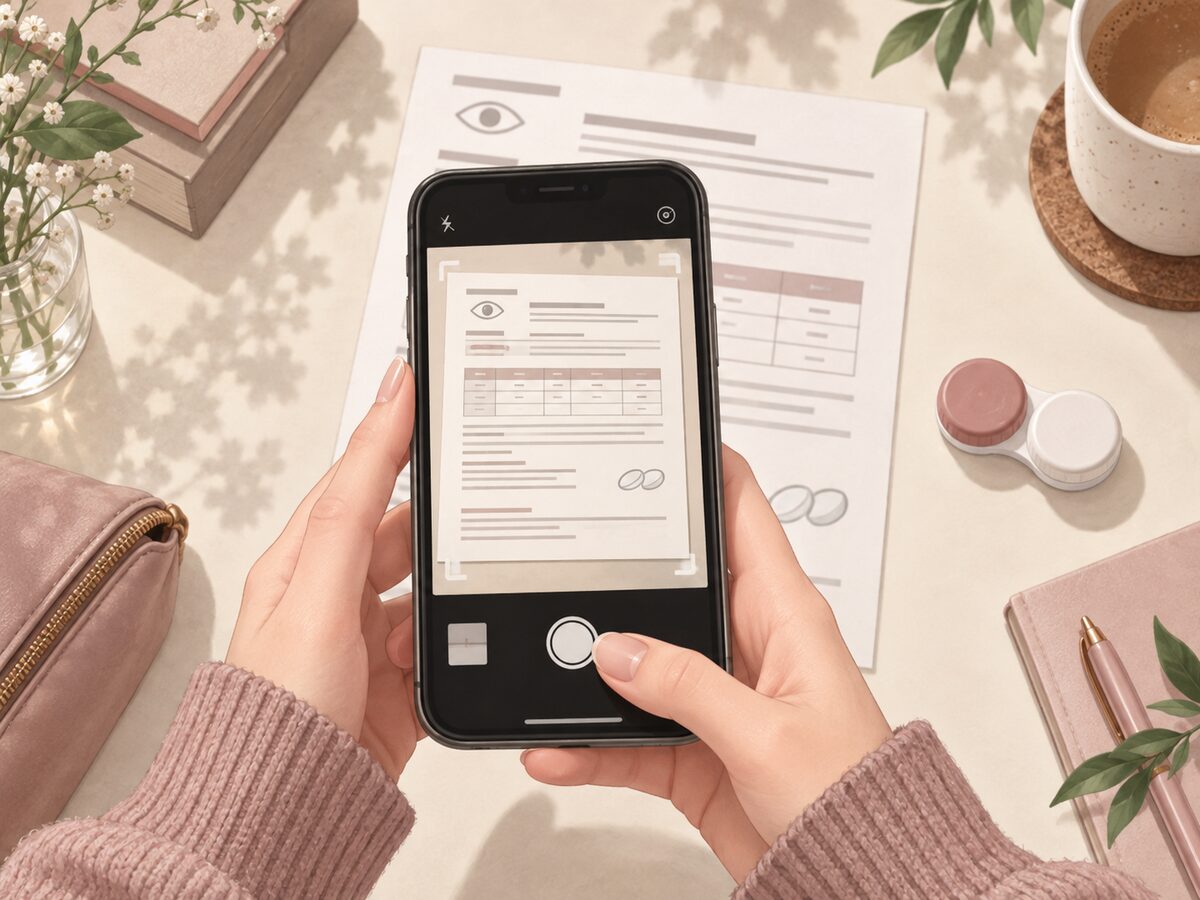
For a paper document, use even light and place the page flat. Keep the camera parallel to the page so that text at one edge is not much smaller than text at the other. Check for reflections before taking the picture. A bright reflection over a minus sign or an expiry date can hide a detail even when most of the page looks sharp.
Include the whole document, with its heading and relevant margins. If there is more than one page, keep the pages together and in order. Avoid sending several overlapping close-ups as the only copy: the recipient may not be able to establish which eye or line a cropped number belongs to.
After capturing the image, open the saved file and zoom in on the smallest text. Inspect the actual attachment rather than the camera preview. Messaging or export settings can reduce resolution, so a photograph that looked readable before sharing may need to be sent again in its original resolution.
- Can you distinguish a plus sign from a minus sign?
- Are decimal points, axis values and both eye labels visible?
- Can the prescriber's details and dates be read without guessing?
- Does any shadow, fold or phone interface cover the text?
If the answer is no, retake the image or request a clearer document. Avoid filters, sharpening tools or AI text reconstruction that might change a character. A typed explanation can identify your question, but should not replace the unaltered source document.
Check identity, lens details and dates
Use three passes through the copy. First check whose document it is. Next check that the contact lens details are present for the intended wearer. Finally check the dates. Separating these checks makes it easier to notice a wrong attachment than repeatedly looking only at the power values.
The FDA's buying guidance explains why the correct prescription and lens identity matter when purchasing contacts. Your job in this document check is to preserve the information clearly, not to decide which different lens would be an equivalent substitute.
- Identity: check the patient's name and the prescriber's identifying information.
- Lens: keep the prescribed product or manufacturer information together with the parameters for each eye.
- Dates: locate the issue and expiry information; ask the prescriber if the date format or validity is unclear.
For a toric prescription, do not send a crop containing sphere alone while leaving cylinder and axis out of frame. Keep each eye's complete line visible. The left-and-right toric checklist covers the separate task of checking order selections.
If the name on the order differs from the patient name, explain that difference to support rather than altering the prescription. Similarly, a document with an unfamiliar brand name should lead to a clarification question. A clear photograph cannot resolve a genuine mismatch between the prescribed lens and the selected product.
Prepare the KPOP2 submission
KPOP2's Prescription Verification page provides the current submission instructions. At the time of this guide's check, customers can email a copy to cs@kpop2.com and include their order number if an order has already been placed. Contact support before checkout if you need help submitting it.
Keep the message focused. Identify the order, attach the complete document, and state any unresolved question in a separate sentence. For example, you can explain that one field is unclear and that you have asked the clinic for clarification. Do not insert a guessed value just to make the message appear complete.
Before sending, check the recipient address against the policy page and confirm that the intended attachment is actually included. There is no need to place the prescription in a public product review or upload it as a customer photo. Use the designated support route for this personal information.
A useful submission note contains the order number, the attached document's filename, and the question you need answered. Do not add unrelated medical records simply because they are stored in the same folder. If more information is requested, establish what is needed before sending additional documents.
Resolve missing information without editing the prescription
Different problems need different responses. A blurred photo needs a clearer copy. An unreadable handwritten value needs clarification from its issuer. A selected lens that differs from the prescription needs a discussion about the prescribed product. An expired document needs attention from the prescriber, not a fresh photograph of the same expired document.
If support asks for a clearer copy, keep the order reference in the reply so that the new attachment can be connected with the same request. Label it as a clearer copy, not a new prescription, unless the prescriber has actually issued a new document. This small distinction prevents uncertainty about whether the clinical instructions changed.
Required checks must be completed before shipment under KPOP2's policy. Sending a readable attachment can reduce avoidable clarification, but does not promise immediate dispatch. Document review, order preparation and delivery are separate steps. Use the current policy for the applicable process rather than borrowing another retailer's processing estimate.
Keep a useful private record
Save the final document where you can retrieve it privately. A descriptive filename can include the issue date and “contact-lens-prescription” without exposing prescription values in the filename. Keep the original document intact. If you use a checklist beside it, label the checklist as your notes so that it is not mistaken for the issued prescription.
When a replacement prescription arrives, distinguish the current file from older copies. Marking an old file as superseded in your own folder can prevent accidental reuse. Do not change the dates inside either document. Follow the prescriber's instructions if you are uncertain which record applies.
Set a reminder to check the expiry before your next planned order. The prescription date is separate from an unopened lens package's expiry and from the replacement schedule of a lens already in use. Return to Lens 101 for the terminology and related guides.
Common document questions
Can I send a photo instead of a scan?
A complete, readable photograph can show the document clearly. Follow the submission page and respond if support needs a different or clearer copy.
Can I crop out the clinic information?
Keep the relevant document complete. Prescriber information may be needed to check the record; do not remove it simply to make the image smaller.
Should I rewrite unclear numbers?
No. Ask the prescriber to clarify them and provide a clear issued copy. Rewriting a number can turn uncertainty into an incorrect order.
Is my previous order confirmation enough?
Use the current contact lens prescription. An order confirmation records a transaction and should not be presented as the prescription document.
What if I cannot find an expiry date?
Ask the prescriber to confirm the document's validity and supply the necessary information. Do not calculate a date yourself and add it.
Does a readable copy guarantee that the order is approved?
No. Readability and prescription validity are different checks, and the selected product must also be appropriate to the prescription.
Where should I ask about submitting it?
Use the contact instructions on KPOP2's Prescription Verification page, with the order reference if one exists.
Does this process issue a new prescription?
No. This is a document-preparation guide. Your eye care professional provides the prescription and any needed clinical clarification.