Lens reviews & comparisons
Circle Lens G.DIA Size Ranges: How to Compare Product Listings

A circle lens G.DIA range is a shopping filter for the width of the colored print. It can help you compare product listings, but it is not a universal style rating, a promise of how large your eyes will look, or a contact lens fitting measurement. Check the exact model’s specifications and treat lens fit as a separate professional decision.
In this guide

What a G.DIA range tells you
Graphic diameter, often written as G.DIA, describes the diameter of the colored printed area on a colored or circle lens. Overall diameter, or DIA, describes the physical diameter of the entire lens. A lens may list both because its clear material extends beyond the color print. The two figures answer different product questions and should not be used as substitutes.
A retailer may group products into G.DIA ranges so shoppers can narrow a large catalog. That range is a catalog shortcut based on the values the retailer has assigned to the included models. It is not a standardized category used by every brand, a clinical measurement class, or proof that every lens in that band creates the same visual effect.
For instance, a hypothetical store could place listed designs from 11.9–12.4 mm in one browsing group and 12.5–12.9 mm in another. Those example bands simply show how a filter might be organized; they do not describe a KPOP2 product range or establish universal small, medium, or large categories. Always confirm the G.DIA on the exact product page and packaging.
How to compare adjacent size bands
Use the retailer’s range filter to build a shortlist, then compare the actual values shown for each model. A band can include several different measurements, and two products near the same boundary may be only a small distance apart. A filter label alone does not tell you which precise value belongs to a particular color or version.
When comparing two bands, record the exact G.DIA for each candidate rather than relying on the group name. Check whether the listing identifies the measurement as G.DIA or overall DIA. If a page gives only one diameter value and does not explain which measurement it represents, ask the seller or manufacturer before drawing a comparison.
A difference in listed G.DIA can describe a difference in printed-area width, but it does not translate directly into a predictable change in perceived eye size. Natural iris color, the size of the visible iris, contrast, opacity, print edge, lighting, camera distance, and the image crop also affect what a product photo seems to show. Compare the same type of evidence for both candidates and treat appearance as an estimate, not a promised result.
Why products in one range can look different
G.DIA is one measurement, while a lens design also includes color, print density, edge treatment, and transitions around the pupil. Two products with the same listed G.DIA can therefore have different patterns and create different impressions in product photography. A smaller printed area with a crisp, dark ring may draw more attention than a slightly wider print with a soft edge.
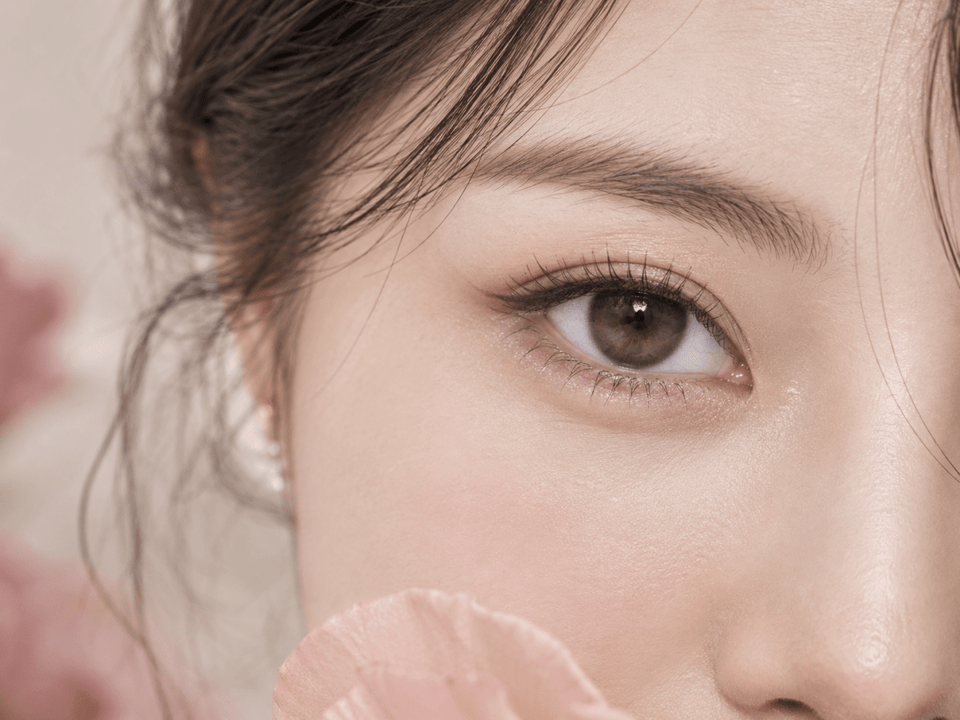
Check product photos for the exact brand, model, color, and version. A close-up can help you inspect the print; a portrait at a normal viewing distance can show how the design is presented with the whole face. Differences in lighting, camera distance, crop, retouching, and the model’s natural iris can make side-by-side images difficult to compare. Photos help you assess the pictured design, but cannot guarantee how a lens will appear on your eyes.
For the separate definitions of DIA and G.DIA and a fuller comparison of lens pattern and edge design, see our circle lens size and pattern guide.
What to do when a measurement is missing
If a product page lists only overall DIA, do not estimate G.DIA by measuring a screen image or subtracting a guessed border. Image size changes with cropping and display scale, and the clear area of the lens is not necessarily apparent from a photograph. Ask the seller or manufacturer for the exact printed-area measurement if it matters to your comparison.
If two sources show different values, check that they refer to the same brand, series, shade, and product version. A collection filter may cover multiple items, while an old image or third-party page may describe a prior version. Use the current manufacturer or exact product information where available. If you cannot tell which value applies, pause the comparison rather than choosing the most appealing number.
Missing information is itself useful to record. You can mark a candidate “G.DIA not stated” and compare only the other details the listing actually confirms. This avoids turning an assumption into a product specification.
A product-listing comparison checklist
- Identify the exact item: note the brand, product name, shade, and version. Do not combine specifications from similar-looking models.
- Record each measurement by label: write down G.DIA and overall DIA separately when both are provided. Mark which value is not listed rather than guessing.
- Check the source: prefer the exact product page or manufacturer information over a general collection heading, old image, or unrelated review.
- Compare design evidence: note edge contrast, print pattern, and color coverage from photos shown for that exact lens. Use comparable views and lighting when possible.
- Check non-size details: confirm the available prescription powers, base curve or other listed parameters, wearing schedule, and replacement instructions on the exact product page.
- Ask a precise question: if information conflicts or is missing, ask the seller or manufacturer which specifications apply to the version you are considering.
A simple note can keep your shortlist clear: “G.DIA listed as __; overall DIA listed as __; exact shade confirmed; close-up and portrait available; prescription/fit question still for my eye-care professional.” The note separates verified listing details from appearance impressions and fitting questions.
Keep fit and prescription separate
G.DIA describes the printed graphic, not whether a contact lens fits your eye. Overall DIA is also only one product measurement; it does not independently establish fit. An eye-care professional needs to assess the exact lens and your individual needs. Do not select a lens, change its parameters, or substitute one model for another based only on a printed-area range or similar numbers.
In the United States, the FDA says decorative lenses require a prescription and professional fitting even when they do not correct vision, because lenses must fit properly. Rules differ by location, so check the requirements where you live. Confirm the exact brand and model with the professional who prescribes or fits your lenses, and follow the wearing, cleaning, and replacement instructions for that product.
If a lens causes pain, unusual redness, light sensitivity, discharge, or blurry vision, remove it and contact an eye-care professional promptly. Do not use a G.DIA chart or product page to diagnose an eye problem.
Frequently asked questions
Is G.DIA the same as contact lens diameter?
No. G.DIA refers to the colored printed area; overall DIA refers to the physical lens. Check how each value is labeled on the exact product page.
Are G.DIA size ranges universal across brands?
No universal browsing bands apply to every retailer. A range may simply group the products in that catalog. Confirm the exact model’s stated value.
Does a larger G.DIA always make eyes look larger?
No. Pattern, contrast, opacity, natural iris, lighting, viewing distance, and photography also affect perceived appearance. A measurement cannot guarantee a visual result.
Can I choose contact lens fit by G.DIA?
No. G.DIA describes the colored print, not fit. Ask an eye-care professional to assess the exact lens and prescription for you.
What if the product page does not show G.DIA?
Do not infer it from the overall DIA or a resized image. Ask the seller or manufacturer, or compare only the specifications that are clearly provided.
Editorial note: Measurement explanations are general product information. U.S. prescription and fitting information is based on FDA guidance on colored and decorative lenses and the FDA contact lens buying guide. Requirements may differ outside the United States. This article does not replace an eye examination, fitting, or prescription.