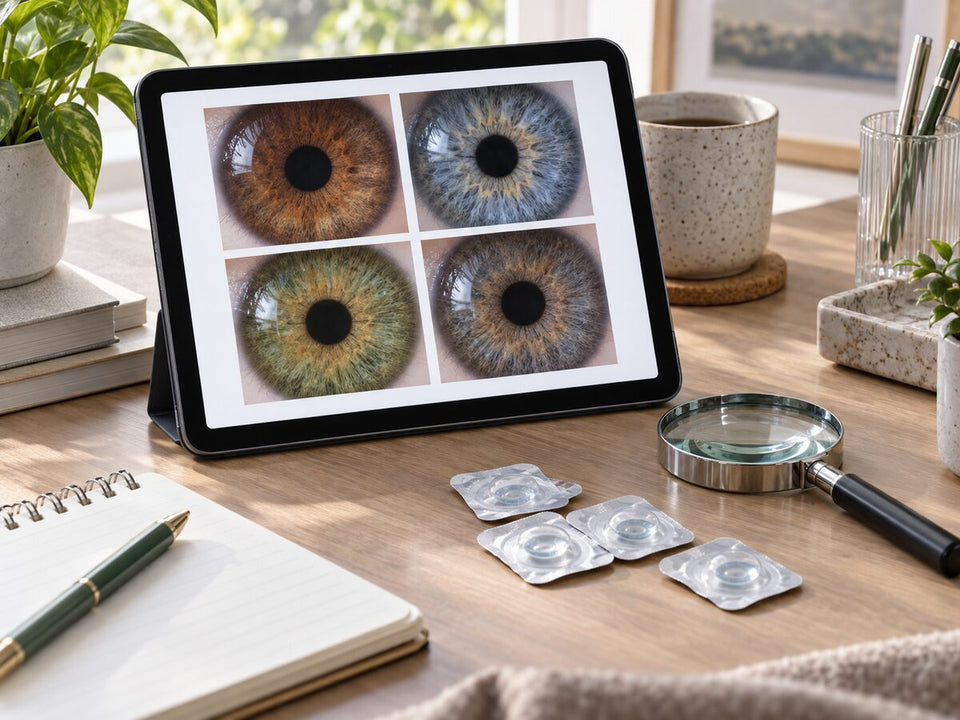
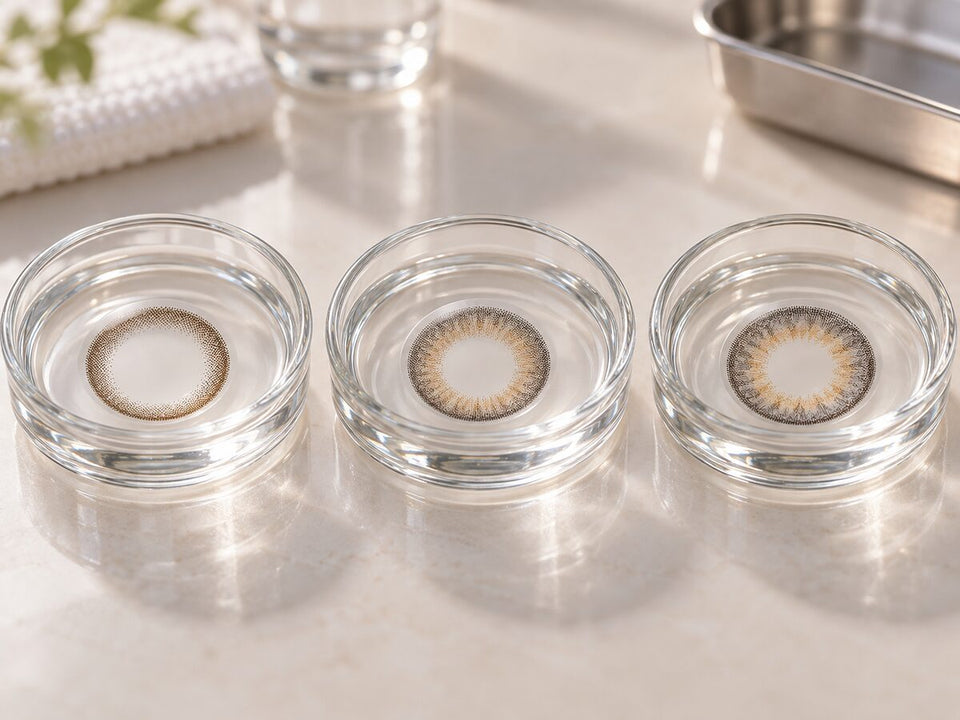
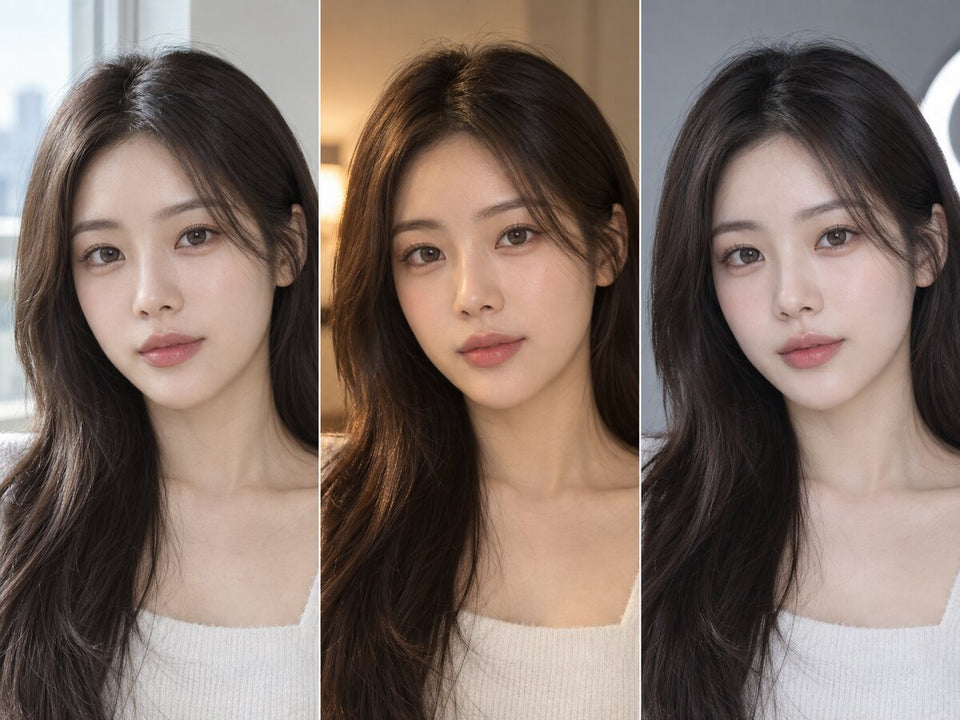
Color & eye tone
Why Colored Contacts Look Different From Model Photos: What to Check
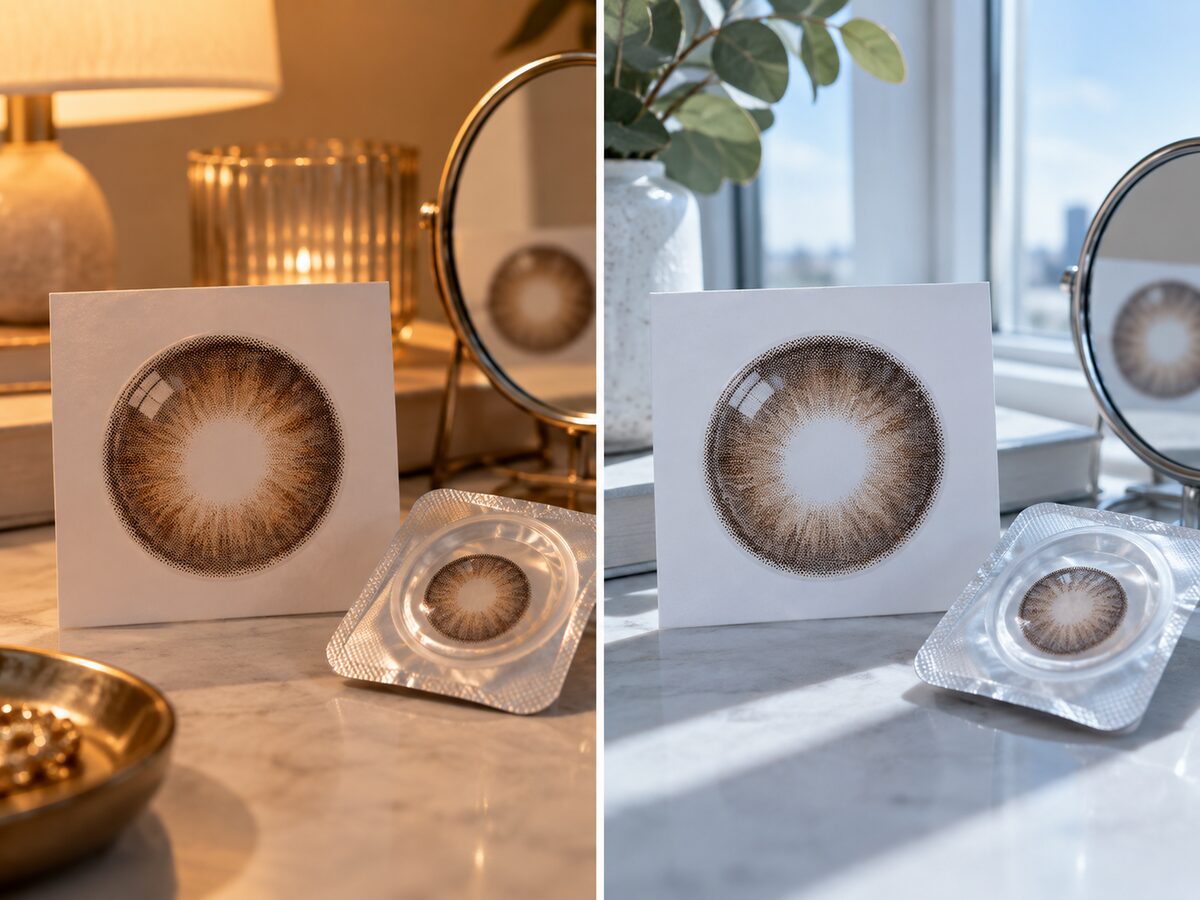
A model photograph is a reference for a colored lens, not a promise of your exact result. The product version, starting eye appearance, surrounding styling and photograph can all affect the comparison. First confirm that you are looking at the same lens, then separate what the image shows from what remains unknown about your own experience.
In this guide
- Seven reasons photos differ
- Verify ViVi versions
- Appearance versus lens concern
- Fair comparison
- If color looks darker
- If color looks brighter
- If edge differs
- Image limits
- Customer photo context
- Worked examples
- Who can answer?
- Checklist
- Your own reference
- Unsupported inferences
- Questions and answers
- How to audit review photos and videos

How to audit review photos and videos
A review is more useful for this question when it identifies the exact brand, series, shade and daily or monthly version; states the reviewer’s starting eye color; and shows more than one ordinary lighting condition. Begin with a neutral, unfiltered image, then use close-ups to inspect the ring, print density, pupil opening and any halo at the iris boundary. A full-face image helps with scale but cannot replace an exact-model close-up.
- Different natural eyes: compare references closest to your starting iris instead of averaging unrelated results.
- Sponsored content: look for a clear disclosure and separate factual product fields from the creator’s styling opinion.
- Verified purchase labels: they may support purchase history, but they do not validate color accuracy, fit or comfort.
- Negative reviews: use them to find repeatable facts such as version confusion or packaging, not to diagnose another wearer’s discomfort.
- Conflicting comfort comments: individual fit, eye condition, environment and wear behavior vary; a review is not a fitting test.
- Thickness claims: do not estimate lens thickness from photographs or casual descriptions unless a manufacturer supplies a comparable specification.
There is no magic number of review photos. Stop when the available evidence answers your decision question well enough, while clearly marking any missing exact-version, starting-iris, lighting or close-up context. Additional near-identical images add less value than one clearly labeled reference that fills a missing condition.
Seven reasons a colored contact can differ from its model photograph
The model image is a reference for one photographed look. It is not a calibrated prediction of how the same lens will appear on every eye. Begin by checking that the model image actually shows the exact product version you ordered. If the image belongs to a series family or a different daily or monthly package, the comparison may be wrong before lighting or individual variation enters the discussion.
1. The model and you may have different starting irises
A colored design sits over a natural iris, and some of that natural color can remain visible near the center or through parts of the print. The resulting color may therefore differ between two wearers. A broad label such as “brown eyes” still covers a range of depths and patterns. Do not assume a model's apparent color is the isolated lens color, and do not infer your own result from a person who merely shares a broad eye-color description.
2. The printed pattern may be more important than the shade name
Look at the outer edge, main printed field, and transition toward the center. A brown lens with a crisp dark ring can feel more graphic than a gray lens with a soft edge. If your result seems stronger than the model image, ask whether the difference lies in color, edge, or surrounding makeup. “Brown” and “gray” are useful browsing words, but they do not fully describe a print.
3. The exact product version may differ
Series names can span replacement formats and pack sizes. KPOP2's ViVi Ring Brown family provides a concrete example: the current Shopify records list a monthly Brown product, a 1Day Brown 10p product, and a 1Day Brown 20p product. Those records differ in listed graphic diameter, base curve, material, power range, and pack quantity. A model photograph labeled only “ViVi Ring Brown” may not resolve which version is shown. Check the exact URL, box, and variant rather than relying on a shared family name.
4. Light changes apparent color
Daylight from a window, overhead office light, and a warm lamp can shift the color balance of both your eye and the photograph. A lens that looks bright in a front-lit studio portrait may look deeper in a dim room. Compare the same fitted lens in a normal daylight setting and an ordinary indoor setting. This gives you a practical range without promising to reproduce the studio image.
5. Camera settings and editing alter the image
White balance changes the color cast of a photo; exposure changes brightness and visible detail. The linked Adobe guides explain those general photographic mechanisms. They do not prove that any particular seller or customer changed an image dishonestly. Phone beauty settings, automatic contrast, and screen rendering can introduce further differences. Keep filters off during your own comparison and avoid treating a campaign image as a precise color swatch.
6. Makeup, hair, and framing change visual emphasis
A dark liner can reinforce the printed ring. Dense lashes may make the iris seem smaller or less visible in a portrait. A light lip may shift attention toward the eyes; a strong lip may do the opposite. Hair and clothing near the face contribute color and contrast. Recreate one surrounding feature at a time if you want to understand why the model's overall look feels different. You do not need to copy the entire makeup collection to evaluate the lens.
7. The viewing distance changes the question
An extreme eye crop highlights print detail and center transition. A normal portrait shows how the lens fits into the face. A group photo may show almost no iris detail at all. Compare the model image and your own photo at similar distances before deciding one looks more or less natural. If the question is everyday subtlety, the full-face view usually deserves more weight than the largest crop.
Verify ViVi Ring versions before diagnosing the difference
The current KPOP2 Shopify records list monthly ViVi Ring Brown at a 13.0 mm graphic diameter, 14.0 mm overall diameter, 8.6 mm base curve, HEMA material, and two lenses per box. ViVi Ring 1Day Brown 10p lists 13.2 mm graphic diameter, 14.2 mm overall diameter, 8.7 mm base curve, HEMA material, and ten lenses per box. ViVi Ring 1Day Brown 20p lists a 13.0 mm graphic diameter, 14.2 mm overall diameter, 8.7 mm base curve, Puscon material, and twenty lenses per box. These are current catalog fields, not a claim that one dimension alone explains a photographed outcome.
The 10p and 20p records share a daily replacement category but differ in other listed fields. Confirm the exact supplied version and manufacturer instructions before assuming they are the same lens in two box sizes. If a product page, packaging, or review image disagrees, ask KPOP2 to clarify the exact item instead of making an appearance claim from the field that best fits your theory. A photo cannot settle a material or graphic-diameter discrepancy.
Keep an appearance mismatch separate from a lens concern
If the lens looks different but feels normal and its identity is confirmed, you have a styling or expectation question. If there is pain, persistent redness, unusual light sensitivity, discharge, or blurred vision, remove the lens and seek professional guidance. Do not use another photograph to explain away a symptom. The FDA's risk guidance sets the relevant safety boundary.
A model photograph also cannot show whether a lens fits your eye. The FDA advises checking exact lens details and obtaining professional approval before a substitution. Even if a second model image seems closer to your desired result, do not switch models based on appearance alone.
A fair comparison between the model and your own photo
First identify the exact lens and choose a photo of the same version if available. Save the product URL and the model image source. Next, photograph your approved lens in two ordinary settings: daylight near a window or in open shade, and the indoor light where you most often see yourself. Use a similar camera distance for both. Turn off beauty filters and avoid changing makeup or hair between shots. This will not reproduce a studio setup, but it can show whether the lens has a consistent appearance you like outside the campaign photograph.
Make a head-and-shoulders portrait and an eye-area detail in each setting. Use the portrait to judge the full look and the detail to inspect the printed edge and center. A model campaign close-up should be compared with your close-up for pattern observations, while a model portrait should be compared with your portrait for overall styling. Mixing those formats creates a misleading contrast.
Use a short observation sheet rather than a verdict. Record product identity, starting iris information if known, lighting, viewing distance, apparent color, outer boundary, and center transition. Mark the model's starting iris or editing as unknown if the source does not state them. A careful note might say, “The outer ring appears similarly defined in both close-ups; the brown field looks deeper in my indoor photo; lighting and starting iris remain different.” That is more informative than “the product is not as advertised,” which requires evidence a photo comparison alone may not provide.
If the color looks darker than the model image
Check the product version first. Then compare the same lens in daylight and indoor light. A dark natural iris may show through or visually combine with parts of the print, and the model photograph may have brighter lighting or exposure. Do not assume one cause from a single picture. If the outer ring appears strong but the main color is quiet, separate those observations. A softer edge may be the feature you want to investigate in another professionally appropriate design, while a lighter color name alone may not solve it.
Look at your full-face portrait before deciding the color is insufficient. A lens that appears nearly black in a dim eye crop can still provide a subtle change in normal light. If a quiet effect suits your original brief, that may be a satisfactory result even if it differs from the campaign image.
If the color looks brighter or bolder
A light printed color may contrast more strongly with your natural iris or your usual makeup than it does in a model portrait. Ask whether the difference is hue, brightness, or a printed border. Keep the lens and soften surrounding liner for one comparison if it is otherwise appropriate for you. If the result remains too bold for your preference, note the precise feature to seek in any future fitted option. “Less visible outer ring” is a better shopping request than “a smaller lens” if the ring is the actual issue.
Do not feel obliged to make the eye disappear. A visible color change may be exactly what you like for photographs or an event, even if it is more noticeable than the product image suggested. The decision is personal, provided the exact lens is appropriate and used as directed.
If the edge or center transition looks different
Find a clear close-up of the exact version and compare it with your own image under similar lighting. The printed edge may blend differently against another natural iris. Eyeliner can also create a second border around the eye that changes your impression of the lens. Test the same pair with lighter eye makeup before attributing the entire difference to the print.
At the center, the visible natural iris can become part of the final color. A product-only image cannot show this interaction. A model close-up shows it on one person, not as a universal outcome. If the transition is your primary concern, prioritize identified close-ups over broad lifestyle images when researching the next product.
What a model image cannot establish
A model image does not establish your individual color result, comfort, fit, prescription, wearing time, or the current contents of a box. It may not disclose the starting iris shade, exact variant, lighting setup, or edits. Use it for visual direction and confirm practical product facts separately. A photo can help you articulate that you want a warm brown field with a soft edge; it cannot validate that a new lens model is suitable for you.
Do not infer wrongdoing from a difference. Photography can change color through normal lighting, exposure, and white balance. If you suspect a product identification error, compare the order and unopened package with the current listing and ask KPOP2 for clarification. If the concern is comfort or vision, contact your eye care professional. Matching the issue to the right source saves repeated guesses.
Use customer photos to triangulate, not promise
A clearly identified customer portrait can add a setting beyond the brand campaign. A close-up can show the print on another starting iris. Look for the exact shade and format, then compare what remains consistent across brand and customer views. Does the outer ring keep appearing defined? Does the center transition remain visible? If the apparent hue changes, note the lighting and camera differences instead of selecting one image as the universal truth.
Count distinct sources carefully. Several images from one person or one shoot show different angles but not independent wearers. An imported-review label by itself does not prove a photo is false or duplicated. Keep the source and its context attached to your notes. The best reference for your question may be a plain portrait with clear product identification, even if a more dramatic campaign image is visually appealing.
Three worked examples of a mismatch
Same name, uncertain version
You saved a ViVi Ring Brown portrait, then ordered a 1Day box. The photo only says “ViVi Ring Brown.” Before comparing color, determine whether the image shows the daily or monthly version. KPOP2's current records distinguish monthly, 10p daily, and 20p daily products. If the image's version remains unknown, keep it as a family-level styling reference rather than proof of the box you received.
Same version, different light
You confirmed the exact model but your indoor selfie looks deeper than an outdoor brand portrait. Photograph the lens in daylight under a similar viewing distance, then compare the indoor and daylight versions of your own eye. If the difference follows the light, you have learned when the effect will be visible in your actual routine. You still cannot reconstruct the campaign's exact camera settings from the final image.
Same version, different visual frame
You like the color in an eye close-up but feel the full face looks more defined than the model. Keep the lens fixed and compare your usual eyeliner with a softer line. If the portrait becomes closer to your intention, the styling frame contributed to the difference. If not, the printed edge or color contrast may be the feature to investigate in a future suitable option. This process gives you a next question, not an unverified diagnosis.
Who can answer the remaining question?
Ask KPOP2 about an exact product listing, package count, variant label, or conflict between current fields. Include the full product URL and a photograph of the unopened package if relevant. Ask your eye care professional about prescription, fit, symptoms, or whether a different model is appropriate. A review author or model photograph cannot substitute for either source.
If the question is purely aesthetic, ask for a more relevant image: an ordinary-distance portrait, a close-up of the exact version, or a photo in daylight. State what you are trying to compare. “Can you show the outer ring of the monthly Brown version in normal indoor light?” is actionable. “Will it look exactly like this on me?” is not something a photo or seller can guarantee.
A practical model-photo comparison checklist
- Match exact identity. Confirm name, shade, daily or monthly format, and pack version.
- Check your package. Compare the unopened supplied item with the order and current record if something seems wrong.
- State one visual difference. Separate hue, brightness, printed edge, and center transition.
- Compare matching views. Use close-up with close-up and portrait with portrait.
- Repeat in ordinary light. Photograph the same fitted lens in daylight and indoor light without beauty filters.
- Keep unknown context visible. Do not invent the model's starting iris, camera settings, or edit history.
- Route concerns correctly. Product identity to KPOP2; fit or symptoms to your eye care professional.
A useful model image gives you a design direction, not a guarantee. When your result differs, verify the lens first, describe the visible difference precisely, and use a fair comparison to decide whether the next step is a styling adjustment, product clarification, or professional advice.
Make a reference photo you can trust for future orders
Once you have a lens that is professionally appropriate and whose appearance you like, document it with a simple repeatable setup. Stand in the same place near a window or in open shade, keep the phone at a similar distance, and use the same ordinary makeup. Take a head-and-shoulders portrait and an eye detail. Record the exact product name, format, selected power, date, and lighting. The purpose is not a perfect color-calibrated image. It is a consistent personal baseline that is more relevant to your own eye than a model's campaign portrait.
Add an indoor image if that is where you wear the lens most. Do not compare a filtered “after” image with an unfiltered “before.” If your phone applies automatic scene enhancements, note that limitation. Store the photos with the complete product URL so you can tell one brown colorway from another later. A named file such as “ViVi Ring Brown monthly, window light” is more useful than an unlabeled screenshot.
When you consider a new product, compare it against the feature you actually want to change. If your current lens has the ideal color but too much outer definition for work, seek a softer edge. If it is right indoors but too quiet for event portraits, decide whether a different makeup or lighting plan answers the need before changing lens models. Any new exact model still needs professional suitability; your photo library supports styling decisions, not substitutions.
Avoid explanations the evidence cannot support
Do not claim a lens is counterfeit because its on-eye color differs from a marketing photograph. First verify the supplied product identity and request clarification if records conflict. Do not claim the model's image is heavily edited because it looks bright; bright lighting and camera processing can change appearance without proving intentional deception. Do not claim a lens has moved, fits poorly, or is uncomfortable from a still photo alone. Those are separate matters requiring appropriate professional assessment when symptoms or fitting questions arise.
Also avoid the opposite leap: a beautiful model photo does not prove that the lens will feel comfortable or fit your eye. The FDA's guidance emphasizes exact product identity and professional fitting. Stay precise about the kind of evidence you have. “The print appears to have a soft outer edge in this identified close-up” is an observation. “It will look soft on me and fit well” is an unsupported prediction.
When a record truly conflicts, document it rather than smoothing it over. The current ViVi Ring 1Day Brown 10p and 20p Shopify descriptions differ in listed graphic diameter and material. A buyer needs confirmation of the exact supplied item and packaging instructions. The article should not invent a reason for that difference or silently treat the boxes as identical because their family name matches.
Related categories
If model images leave a style question, use Colored Contacts to shortlist designs, then compare Daily Contacts or Monthly Contacts only after checking the exact product version and its care routine on the product page.
Questions and answers
Why do my colored contacts look darker than the model photo?
First confirm the exact lens version. Natural iris color, indoor lighting, exposure, and the surrounding makeup can all affect apparent depth. Compare the same fitted pair in daylight and indoor light before assigning one cause.
Could the model photo show a different ViVi Ring version?
It could if the image names only the series. KPOP2 has separate monthly, 1Day 10p, and 1Day 20p Brown records. Ask which exact product appears in the image when that matters to your choice.
Does a different result mean the product is wrong?
Not necessarily. First compare the order and unopened package with the exact listing. If identity is unclear, ask KPOP2. Appearance alone cannot establish a product error.
Are customer photos more accurate than brand photos?
Neither label guarantees color accuracy. Exact product identification and relevant lighting, framing, and starting-eye context matter more for a specific comparison.
Can I change to a lens that looks closer to the model?
A different exact lens may need a separate prescription and fitting decision. The FDA advises professional approval before substitutions; do not use a photo as fit evidence.
What if the lens causes discomfort or changes my vision?
Remove it and seek eye-care guidance promptly. Do not attribute symptoms to lighting, makeup, or the model photograph.
KPOP2 editorial guide using current Shopify product records and linked Adobe and FDA sources. Visual comparisons are not controlled wear tests or clinical fitting advice.